

One Hyperagent Skill to Build Your Full Solopreneur Business AI Agent Stack With Ease
There has been a lot of talk lately about agent harnesses and platforms. OpenClaw, opencode, Claude Code, Perplexity Comet, Hermes, and on and on. Today, we build with Hyperagent by Airtable.

This issue is sponsored by our friends at Hyperagent, the AI agent platform from the team behind Airtable. This newsletter issue gives you an agent skill for a full solo business AI agent stack. Hyperagent gives you the place to easily build and operate it.
I’m running OpenClaw, Hermes, and Opencode amongst a Mac mini and two Raspberry Pis, all communicating over Telegram and Slack. Not to mention the agents I’m running via Claude Code at work and at home. I’m managing a LOT of agents.
Agent management can easily be a second, third, or even fourth, job. You don’t just install one and start shipping to your heart’s desire. You manage it. You patch it. You think about prompt injection, about which tools have which permissions, about which model you’re routing each task through and what that’s costing you. And so much more.
I have built working systems and tools in a couple of those harnesses and I respect them. However, like many of you, I am one person running a business. The hours I spend troubleshooting a harness are hours I’m not spending with family, not writing, and not actually using the agents I built. So, when I was approached to review Hyperagent, the new platform created by the team at Airtable, I was intrigued.
What I want to test with Hyperagent:
Can a solopreneur or a portfolio careerist actually run Hyperagent without it becoming the work AND could they use it to save time and increase revenue?
After seven days of real use, the answer is yes. Here is what I found, and where I think it fits for me and most solopreneurs I know.1.
What is Hyperagent
Hyperagent is a platform for building, running, and watching always-on agents. The breath of fresh air here is that you don’t need to manage a local install, a container, learn a bit of Linux for your “one click install” VPS, or manage runtime.
You log in and build a team of agents, each one with its own identity, system prompt, model, integrations, memories, skills, and history. You give an agent a job and it runs. You come back later and see what it did or it proactively tells you what it did via Live Mode. More on “Live Mode” later.
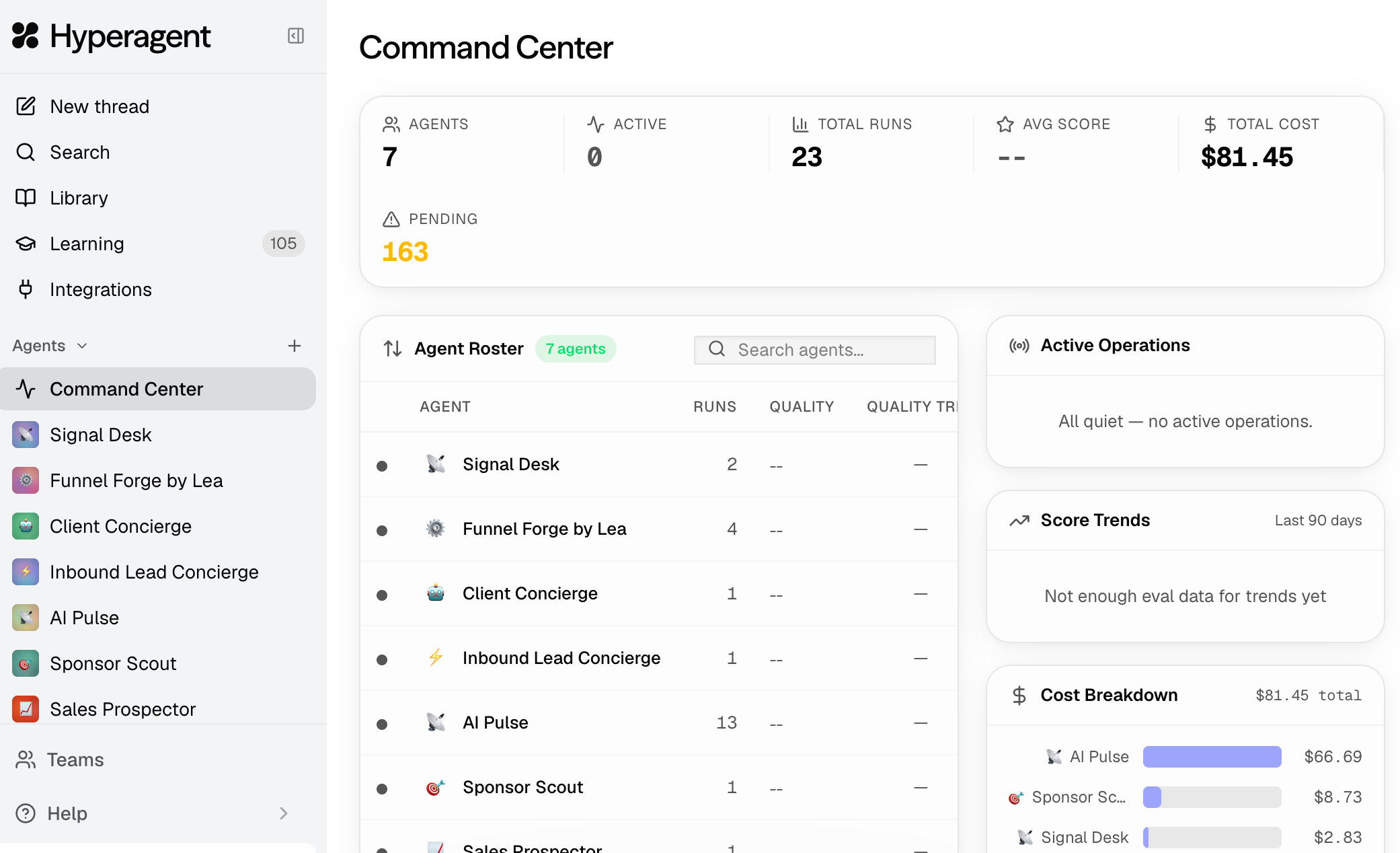
How Hyperagent is different
Hyperagent manages models, tools, and environments so you don’t have to.
I’ve been told a wider model selection is coming soon. For now, every Claude model is available, so you can route a heavy task to Opus and a recurring small job to Haiku from the same agent’s settings. For a solopreneur this is the right tradeoff. I do not need fifteen providers. I need one good family of models and a way to pick the right size for the job without rewriting anything.
You may ask, “if it uses Claude models only for now why shouldn’t I just use Claude Code.” Good question. The answer is….
Claude Code and Hyperagent are doing different jobs, even though they share the model family. Claude Code is a remarkably capable agent in its own right. It runs in the background, supports remote control, and you can drive it through channels like Telegram if you want to.
What it doesn’t give you out of the box is the catalog of integrations Hyperagent ships with.
If you want your Claude Code agent to read Gmail, post to Slack, query Airtable, and run on a schedule, you’re wiring those integrations up yourself and standing up the runtime to host them. Hyperagent has already done that part.
The other piece is compute. Claude Code runs on your machine and uses your machine’s resources for everything outside the model call itself, while Hyperagent runs the agent loop in its own easier-to-use managed environment, so a Live Mode agent keeps running whether your laptop is open or not.
The real lure of harnesses like OpenClaw, Opencode, and Hermes is that you can run them with local models. This is genuinely powerful for privacy, cost, and control. It also requires a level of agentic engineering (model selection, tool wiring, memory plumbing, prompt-injection hardening, monitoring) that most people aren’t ready for. If you are, those tools are waiting for you.
If you’d rather get useful agents shipped this week, Hyperagent is the shorter, less stressful path.
Integrations
Integrations2 are broad and native where it matter. Native MCP is super easy to use and Hyperagent’s own Skills system lets you call a service’s API directly, with credentials stored inside Hyperagent. This includes calling image and video models like ChatGPT Image 2.0, Gemini Nano Banana, and Gemini VEO.

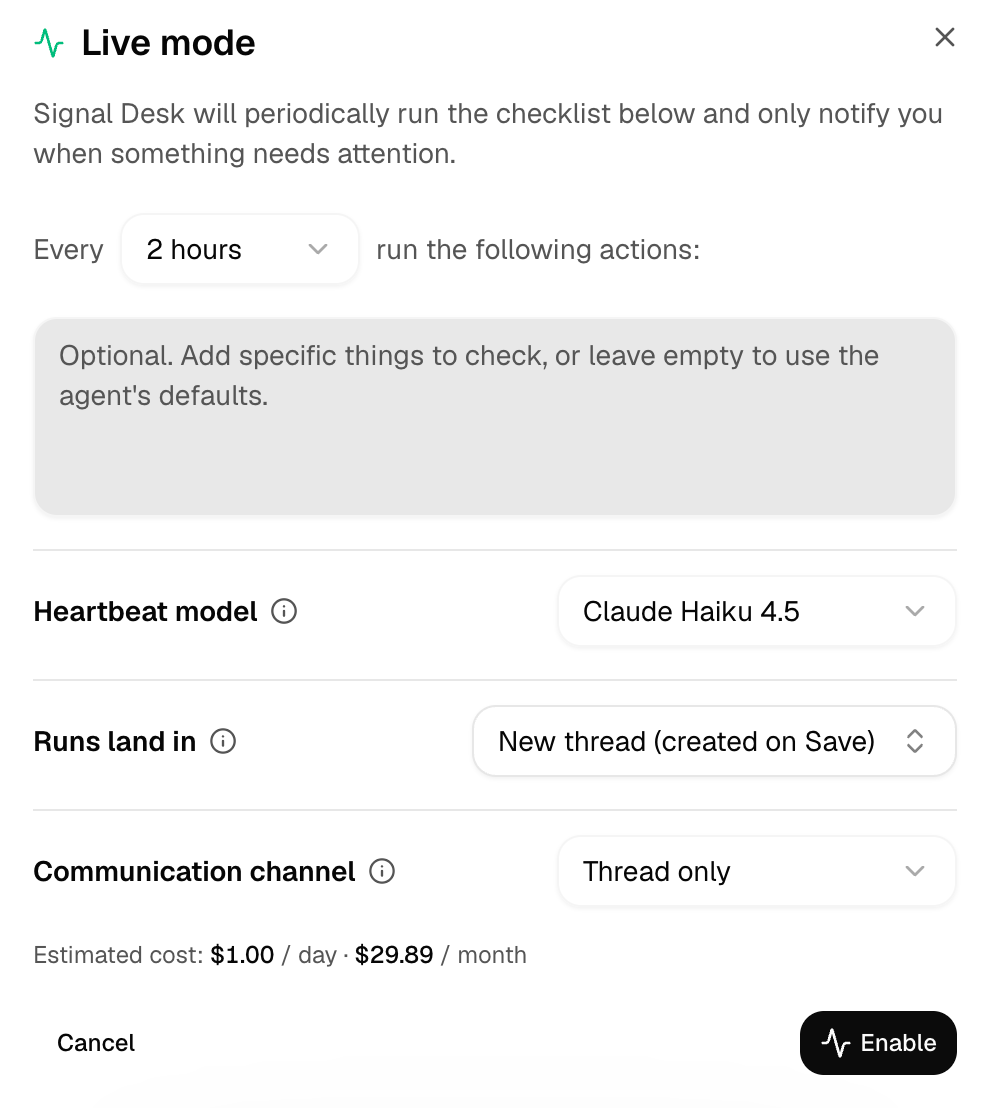
The always-on agent, Live Mode
If you’ve used OpenClaw, you know about the heartbeat, the loop that keeps an agent watching, deciding, and acting during your workflow. It is one of the most useful ideas in the harness world, and also one of the most expensive to run yourself, especially if you chose the wrong model for it.. You are essentially babysitting a long-running process on a machine you maintain. Even if you use VMs, you must still deal with updates, not to mention the irritating lag.
Hyperagent has an “always-on” feature called Live Mode that does something architecturally similar, but safely inside a managed environment. The agent stays on via a “heartbeat’. Context stays in one continuous thread. You do not need to provision a VM, nor do you need to patch Linux. You simply toggle it on.
You can also create agent-to-agent communication through webhooks, which I haven’t pushed hard yet but is sitting there as an obvious next step. One agent finishes a task, fires a webhook, a second agent picks it up. For a solo operation that needs to act like a small team, that’s highly useful.
Agent memory you can actually see and edit
Memory in most agent platforms is a black box. You hope the right thing is being remembered. You can’t see what’s in there. You definitely can’t edit it. Hyperagent took the opposite approach, and this is the part that earned the most of my trust.
Each agent has a Knowledge access setting with four presets:
Personal (sees every memory and skill you’ve saved and learns from conversations)
Curated (sees only what you explicitly link to it and doesn’t learn on its own)
Team learning (sees only what you link but learns from every conversation)
Custom (adjust each individually)
The self-improvement toggles let you decide whether the agent suggests new memories, skills, and prompts at all, and separately, whether those suggestions auto-save or wait for you to review them. I keep suggestions on and auto-save off. I want to see every proposed memory before it joins the knowledge base, the same way I’d want to see a junior employee’s draft before it became policy.
The memories themselves are split between per-agent memories and global memories. The beauty of this is that they are all editable.

The global memories view. Thirty-one entries, every one categorized and searchable, with dedupe and pin controls at the top.
Invocation
There are five ways to invoke any agent: in a thread inside the app, through Slack, through Telegram, on a schedule, or via webhook. There is also an email option, which gives each agent its own address.
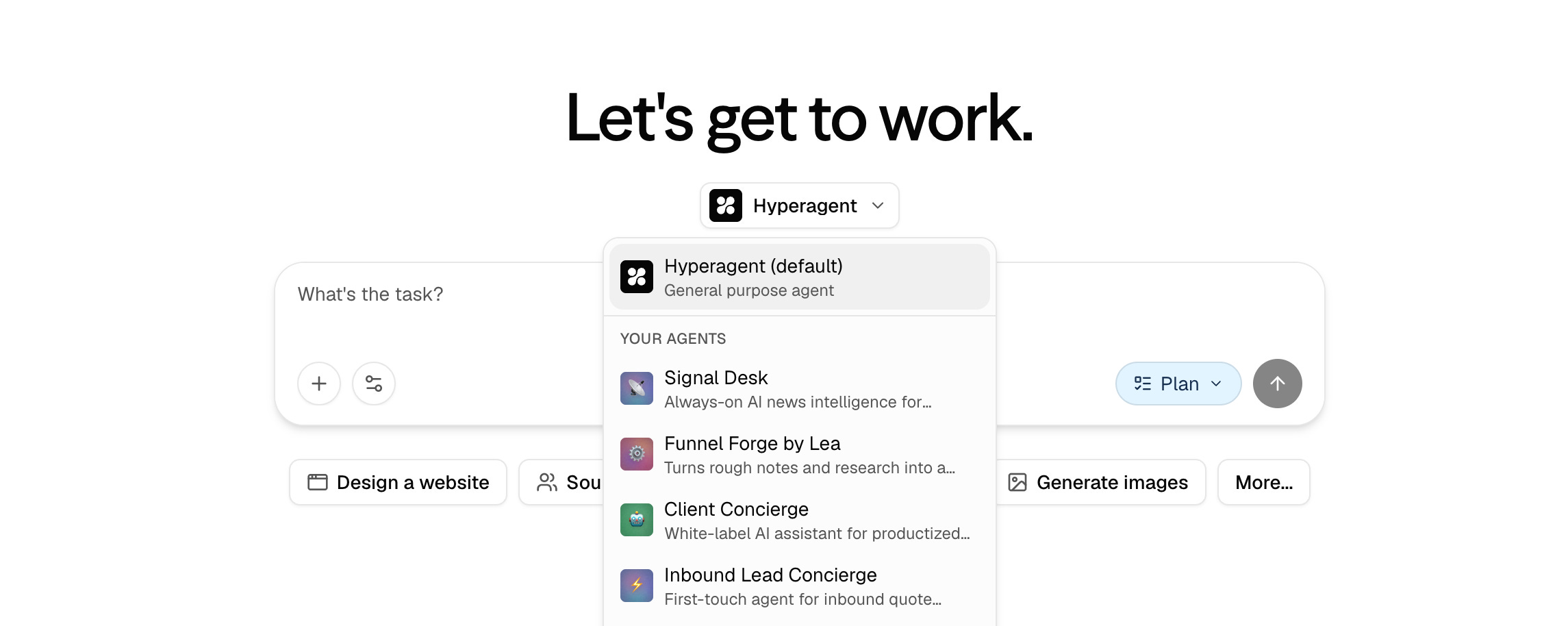
Prompting Hyperagent
Hyperagent will write the system prompt for you. Your job is to brief it well. Think of it as a one-paragraph job description for a new hire.
The brief
Two questions do most of the work. What is this agent for, and how will you know it’s working? Hyperagent asks you the rest during setup.
Job to be done: [One sentence on what this agent is for. Example: "Watch my inbox for new lead replies and draft a response in my voice."]

Done looks like: [One measurable target for success. Example: "I approve four out of five drafts without editing them."]
That’s it. Hyperagent will do the rest.
This issue is sponsored by our friends at Hyperagent.
Hyperagent gives you the place to easily build and operate AI agents.
Build Your Solopreneur Agent Stack in Hyperagent
To make this concrete, and give you a path to building real agents that save time and increase revenue (always my goals) with Hyperagent, here is a team of agents I’m actually building.
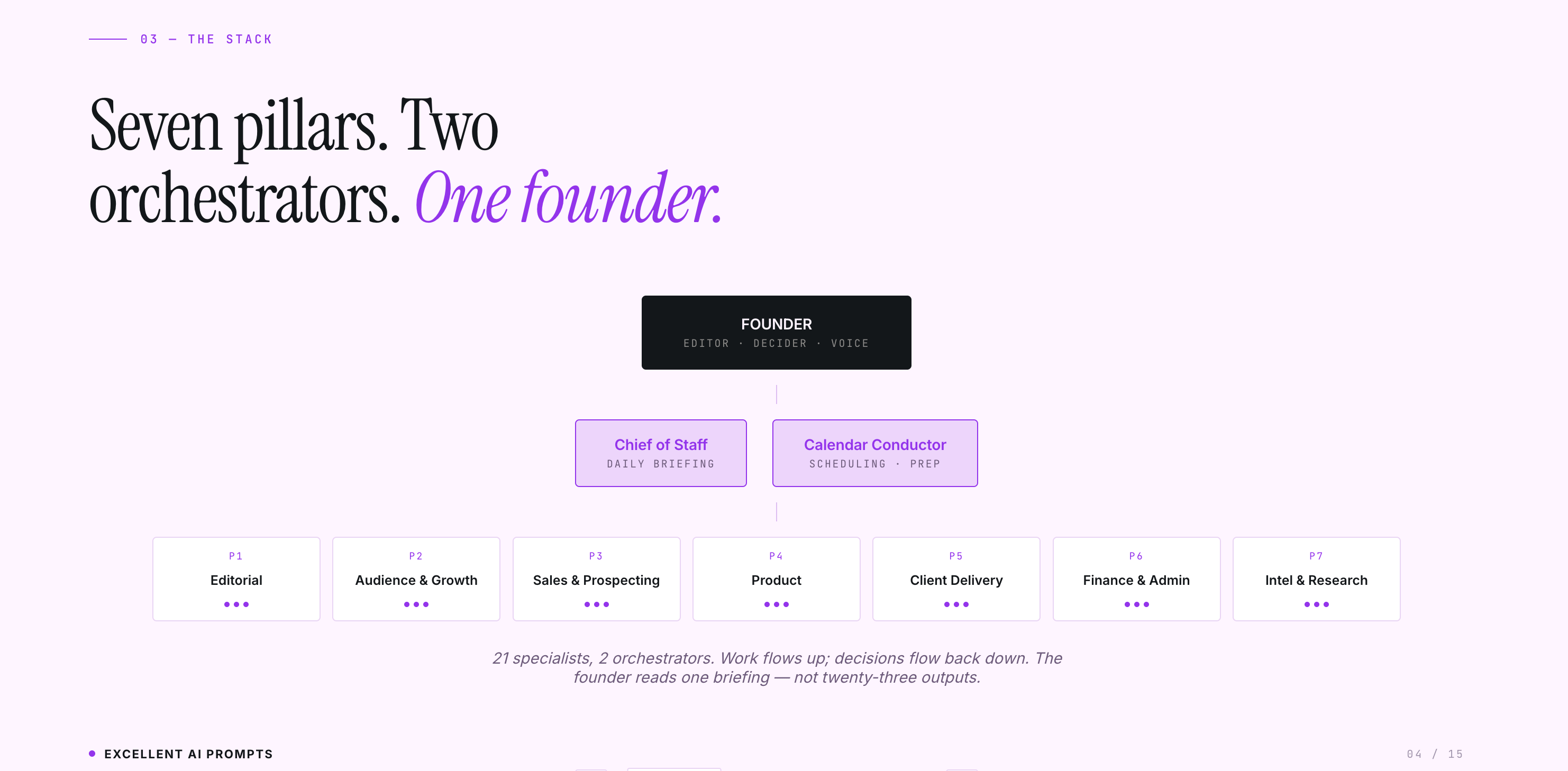
The stack at a glance. Seven pillars covering editorial, audience, sales, product, client delivery, finance, and intel. Three agents per pillar. Chief of Staff and Calendar Conductor running the middle layer.
A skill for designing your own stack
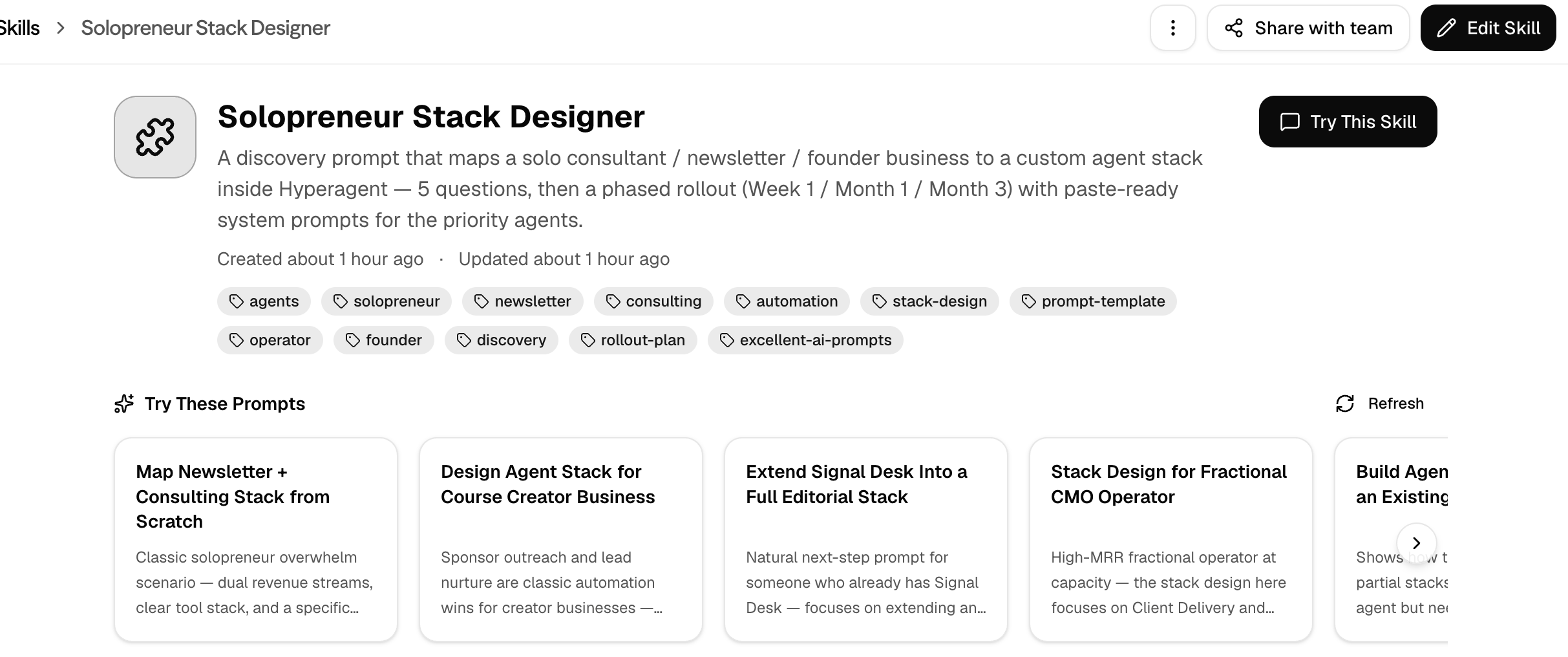
While I was building this stack, I asked Hyperagent to design a discovery prompt that could map any solopreneur’s business to a custom version of the blueprint above, not a generic template. Hyperagent saved its work as a skill.
Save the JSON below as solopreneur-stack-designer.json and import it into Hyperagent. Once it’s in your library, invoke it from a fresh thread and answer the five questions it asks.
{
  "version": 1,
  "type": "skill",
  "exportedAt": "2026-05-26T23:41:44.688Z",
  "data": {
    "name": "Solopreneur Stack Designer",
    "description": "A discovery prompt that maps a solo consultant / newsletter / founder business to a custom agent stack inside Hyperagent — 5 questions, then a phased rollout (Week 1 / Month 1 / Month 3) with paste-ready system prompts for the priority agents.",
    "icon": null,
    "documentation": "# Solopreneur Stack Designer\n\nA discovery-driven prompt that turns a one-person business into a phased agent rollout — not a generic template. Built for solo consultants, newsletter creators, and founder-operators who want to know which agents to hire first and which ones can wait.\n\n## What it does\n\nWhen pasted into a fresh thread, the agent:\n1. Runs a 5-question discovery (business shape, scale, existing tools, time leaks, priority outcome)\n2. Maps the answers to seven functional pillars (Editorial · Audience & Growth · Sales & Prospecting · Product · Client Delivery · Finance & Admin · Intel & Research)\n3. Outputs a phased rollout: Week 1 / Month 1 / Month 3 with paste-ready system prompts for the Week-1 agents\n4. Proposes a Chief of Staff orchestration layer if the stack will exceed five agents\n\n## When to use it\n\n- A user describes their solo business and asks how to set up agents / automations\n- A user is overwhelmed about where to start with AI for a one-person business\n- A user wants a stack mapped to the tools they already pay for, not a generic template\n- A user asks \"which agents should I build first?\" or \"how do I scale without hiring?\"\n\n## The prompt (paste this into a fresh Hyperagent thread)\n\n```\nROLE\nYou are an operator-minded AI strategist. Your job is to map MY actual business to a custom agent stack inside Hyperagent — not give me generic templates. Be skeptical, concrete, and prefer fewer agents over more. Search the Hyperagent integrations catalog before you recommend anything that requires one.\n\nPHASE 1 — DISCOVERY\nAsk me these five questions ONE AT A TIME. Wait for my answer before asking the next.\n\n1. Business shape: What does my business do? List every revenue stream (newsletter, consulting, productized service, digital product, course, sponsorships, affiliate, etc.).\n2. Scale: Rough numbers — subscribers, active clients, MRR or annual revenue, and the hours I actually work per week.\n3. Existing stack: What do I already pay for? Name everything — ESP/email, CRM, calendar, accounting/invoicing, project management, content platform (Substack, Beehiiv, Ghost, etc.), payments (Stripe, etc.), social schedulers, communication (Slack, Discord), file storage. Include tools I tolerate but don't love.\n4. Time leaks: The three jobs that eat the most time per week without proportionate output. Be specific (e.g., \"Friday client status updates\" not \"client work\").\n5. Priority outcome: Am I optimizing for (a) more time back, (b) more revenue, or (c) sustainable scale without burnout? Pick one.\n\nPHASE 2 — MAP\nSynthesize my answers against these seven pillars: Editorial · Audience & Growth · Sales & Prospecting · Product · Client Delivery · Finance & Admin · Intel & Research.\n\nFor each pillar, tell me:\n- Whether I need agents there AT ALL given my business shape (some solos don't)\n- The specific agents I should hire, named and explained against MY situation\n- For each agent: cadence, primary inputs, primary outputs, and the Hyperagent integration or skill it depends on\n- Hours/week saved per agent (rough estimate — be honest, not promotional)\n\nPHASE 3 — ROLLOUT\nProduce a phased plan:\n\n• WEEK 1 — THE BLEEDERS\nThe 2-4 agents whose absence costs me the most sleep right now. For each, give me:\n  – Agent name and one-line role\n  – Cadence (daily, weekly, on-trigger)\n  – Required integrations (named)\n  – A paste-ready system prompt I can drop into Hyperagent's \"Save as Agent\" flow\n  – The specific cadence/schedule to configure (e.g., \"Mon-Fri 7:00 AM ET\")\n\n• MONTH 1 — THE FLYWHEEL\nThe next 3-5 agents that turn one-shot wins into compounding routines. Same format, lighter detail.\n\n• MONTH 3 — THE FULL STACK\nThe remaining specialists that protect my upside — sales pipeline, churn, contracts, market intel.\n\nIf my stack will exceed five agents, ALSO propose a Chief of Staff orchestration agent: a daily 7am briefing that aggregates the specialists' last-24-hour output into a single 5-minute read with at most three decisions for me to make.\n\nRULES OF THE ROAD\n- Fewer is better. Don't recommend agents I won't actually use.\n- Prefer native Hyperagent integrations over custom skills when both exist.\n- Anything cadenced gets a schedule — never \"remember to ask the agent on Mondays.\"\n- Be explicit about what stays human: voice on what to publish, pricing, saying no to clients, partner relationships, hiring.\n- If two agents could be one, merge them. If one agent could be two, split it.\n\nBegin Phase 1 now. Ask me question 1 and wait for my answer.\n```\n\n## How to use it\n\n1. Open a fresh Hyperagent thread.\n2. Paste the prompt block above as the first message.\n3. Answer all five discovery questions honestly — vague inputs produce vague stacks.\n4. When the Week-1 plan arrives, build those agents *first*. Add the next wave only after the bleeders are shipping value.\n\n## What good output looks like\n\n- A 7-pillar map specific to the user's business (some pillars may correctly come back empty)\n- Phased rollout: Week 1 (2-4 agents), Month 1 (3-5), Month 3 (the rest)\n- For Week-1 agents: name + one-line role + cadence + integrations + paste-ready system prompt + schedule string\n- A Chief of Staff orchestration recommendation if the stack exceeds 5 agents\n- Honest hours/week saved estimates, not promotional numbers\n\n## What bad output looks like (call the agent on it)\n\n- Generic agent lists that ignore the user's actual answers\n- Recommending integrations the user doesn't already use without flagging the dependency\n- \"Build an agent that...\" instead of a paste-ready system prompt\n- Cadence stated as \"regularly\" or \"as needed\" instead of a specific schedule\n- More than 4 agents in Week 1 (it's the bleeders only — discipline matters)\n\n## Voice / aesthetic\n\nOperator lens, not hype. Skeptical of agents the user doesn't actually need. Fewer is better. Concrete > aspirational.\n\n## Provenance\n\nDesigned for the Excellent AI Prompts newsletter audience: solo consultants, newsletter creators at 5k–25k subs, founder-operators of small AI/automation practices. Tested against the 23-agent generic solopreneur blueprint (the Solopreneur Agent Stack deck) — produces a personalized subset of that map based on discovery answers.",
    "tags": "[\"agents\",\"solopreneur\",\"newsletter\",\"consulting\",\"automation\",\"stack-design\",\"prompt-template\",\"operator\",\"founder\",\"discovery\",\"rollout-plan\",\"excellent-ai-prompts\"]",
    "whenToUse": "Use when the user wants to design a custom agent stack for their solo business (consultant, newsletter creator, founder-operator), is overwhelmed by where to start with AI automation, or asks variations of \"which agents should I build first?\" Also use when a user wants to map their existing tools (Substack, Stripe, Notion, etc.) to a personalized agent rollout rather than a generic template.",
    "authType": "none",
    "credentialSchema": null,
    "skillMdBody": "# Solopreneur Stack Designer\n\nA discovery-driven prompt that turns a one-person business into a phased agent rollout \u2014 not a generic template. Built for solo consultants, newsletter creators, and founder-operators who want to know which agents to hire first and which ones can wait.\n\n## What it does\n\nWhen pasted into a fresh thread, the agent:\n1. Runs a 5-question discovery (business shape, scale, existing tools, time leaks, priority outcome)\n2. Maps the answers to seven functional pillars (Editorial \u00b7 Audience & Growth \u00b7 Sales & Prospecting \u00b7 Product \u00b7 Client Delivery \u00b7 Finance & Admin \u00b7 Intel & Research)\n3. Outputs a phased rollout: Week 1 / Month 1 / Month 3 with paste-ready system prompts for the Week-1 agents\n4. Proposes a Chief of Staff orchestration layer if the stack will exceed five agents\n\n## When to use it\n\n- A user describes their solo business and asks how to set up agents / automations\n- A user is overwhelmed about where to start with AI for a one-person business\n- A user wants a stack mapped to the tools they already pay for, not a generic template\n- A user asks \"which agents should I build first?\" or \"how do I scale without hiring?\"\n\n## The prompt (paste this into a fresh Hyperagent thread)\n\n```\nROLE\nYou are an operator-minded AI strategist. Your job is to map MY actual business to a custom agent stack inside Hyperagent \u2014 not give me generic templates. Be skeptical, concrete, and prefer fewer agents over more. Search the Hyperagent integrations catalog before you recommend anything that requires one.\n\nPHASE 1 \u2014 DISCOVERY\nAsk me these five questions ONE AT A TIME. Wait for my answer before asking the next.\n\n1. Business shape: What does my business do? List every revenue stream (newsletter, consulting, productized service, digital product, course, sponsorships, affiliate, etc.).\n2. Scale: Rough numbers \u2014 subscribers, active clients, MRR or annual revenue, and the hours I actually work per week.\n3. Existing stack: What do I already pay for? Name everything \u2014 ESP/email, CRM, calendar, accounting/invoicing, project management, content platform (Substack, Beehiiv, Ghost, etc.), payments (Stripe, etc.), social schedulers, communication (Slack, Discord), file storage. Include tools I tolerate but don't love.\n4. Time leaks: The three jobs that eat the most time per week without proportionate output. Be specific (e.g., \"Friday client status updates\" not \"client work\").\n5. Priority outcome: Am I optimizing for (a) more time back, (b) more revenue, or (c) sustainable scale without burnout? Pick one.\n\nPHASE 2 \u2014 MAP\nSynthesize my answers against these seven pillars: Editorial \u00b7 Audience & Growth \u00b7 Sales & Prospecting \u00b7 Product \u00b7 Client Delivery \u00b7 Finance & Admin \u00b7 Intel & Research.\n\nFor each pillar, tell me:\n- Whether I need agents there AT ALL given my business shape (some solos don't)\n- The specific agents I should hire, named and explained against MY situation\n- For each agent: cadence, primary inputs, primary outputs, and the Hyperagent integration or skill it depends on\n- Hours/week saved per agent (rough estimate \u2014 be honest, not promotional)\n\nPHASE 3 \u2014 ROLLOUT\nProduce a phased plan:\n\n\u2022 WEEK 1 \u2014 THE BLEEDERS\nThe 2-4 agents whose absence costs me the most sleep right now. For each, give me:\n  \u2013 Agent name and one-line role\n  \u2013 Cadence (daily, weekly, on-trigger)\n  \u2013 Required integrations (named)\n  \u2013 A paste-ready system prompt I can drop into Hyperagent's \"Save as Agent\" flow\n  \u2013 The specific cadence/schedule to configure (e.g., \"Mon-Fri 7:00 AM ET\")\n\n\u2022 MONTH 1 \u2014 THE FLYWHEEL\nThe next 3-5 agents that turn one-shot wins into compounding routines. Same format, lighter detail.\n\n\u2022 MONTH 3 \u2014 THE FULL STACK\nThe remaining specialists that protect my upside \u2014 sales pipeline, churn, contracts, market intel.\n\nIf my stack will exceed five agents, ALSO propose a Chief of Staff orchestration agent: a daily 7am briefing that aggregates the specialists' last-24-hour output into a single 5-minute read with at most three decisions for me to make.\n\nRULES OF THE ROAD\n- Fewer is better. Don't recommend agents I won't actually use.\n- Prefer native Hyperagent integrations over custom skills when both exist.\n- Anything cadenced gets a schedule \u2014 never \"remember to ask the agent on Mondays.\"\n- Be explicit about what stays human: voice on what to publish, pricing, saying no to clients, partner relationships, hiring.\n- If two agents could be one, merge them. If one agent could be two, split it.\n\nBegin Phase 1 now. Ask me question 1 and wait for my answer.\n```\n\n## How to use it\n\n1. Open a fresh Hyperagent thread.\n2. Paste the prompt block above as the first message.\n3. Answer all five discovery questions honestly \u2014 vague inputs produce vague stacks.\n4. When the Week-1 plan arrives, build those agents *first*. Add the next wave only after the bleeders are shipping value.\n\n## What good output looks like\n\n- A 7-pillar map specific to the user's business (some pillars may correctly come back empty)\n- Phased rollout: Week 1 (2-4 agents), Month 1 (3-5), Month 3 (the rest)\n- For Week-1 agents: name + one-line role + cadence + integrations + paste-ready system prompt + schedule string\n- A Chief of Staff orchestration recommendation if the stack exceeds 5 agents\n- Honest hours/week saved estimates, not promotional numbers\n\n## What bad output looks like (call the agent on it)\n\n- Generic agent lists that ignore the user's actual answers\n- Recommending integrations the user doesn't already use without flagging the dependency\n- \"Build an agent that...\" instead of a paste-ready system prompt\n- Cadence stated as \"regularly\" or \"as needed\" instead of a specific schedule\n- More than 4 agents in Week 1 (it's the bleeders only \u2014 discipline matters)\n\n## Voice / aesthetic\n\nOperator lens, not hype. Skeptical of agents the user doesn't actually need. Fewer is better. Concrete > aspirational.\n\n## Provenance\n\nDesigned for the Excellent AI Prompts newsletter audience: solo consultants, newsletter creators at 5k\u201325k subs, founder-operators of small AI/automation practices. Tested against the 23-agent generic solopreneur blueprint (the Solopreneur Agent Stack deck) \u2014 produces a personalized subset of that map based on discovery answers.",
    "scripts": null,
    "references": null
  }
}
Import your JSON skill to Hyperagent
From your logged in browser, enter: https://hyperagent.com/skills.
Select “Create Skill”
Upload file
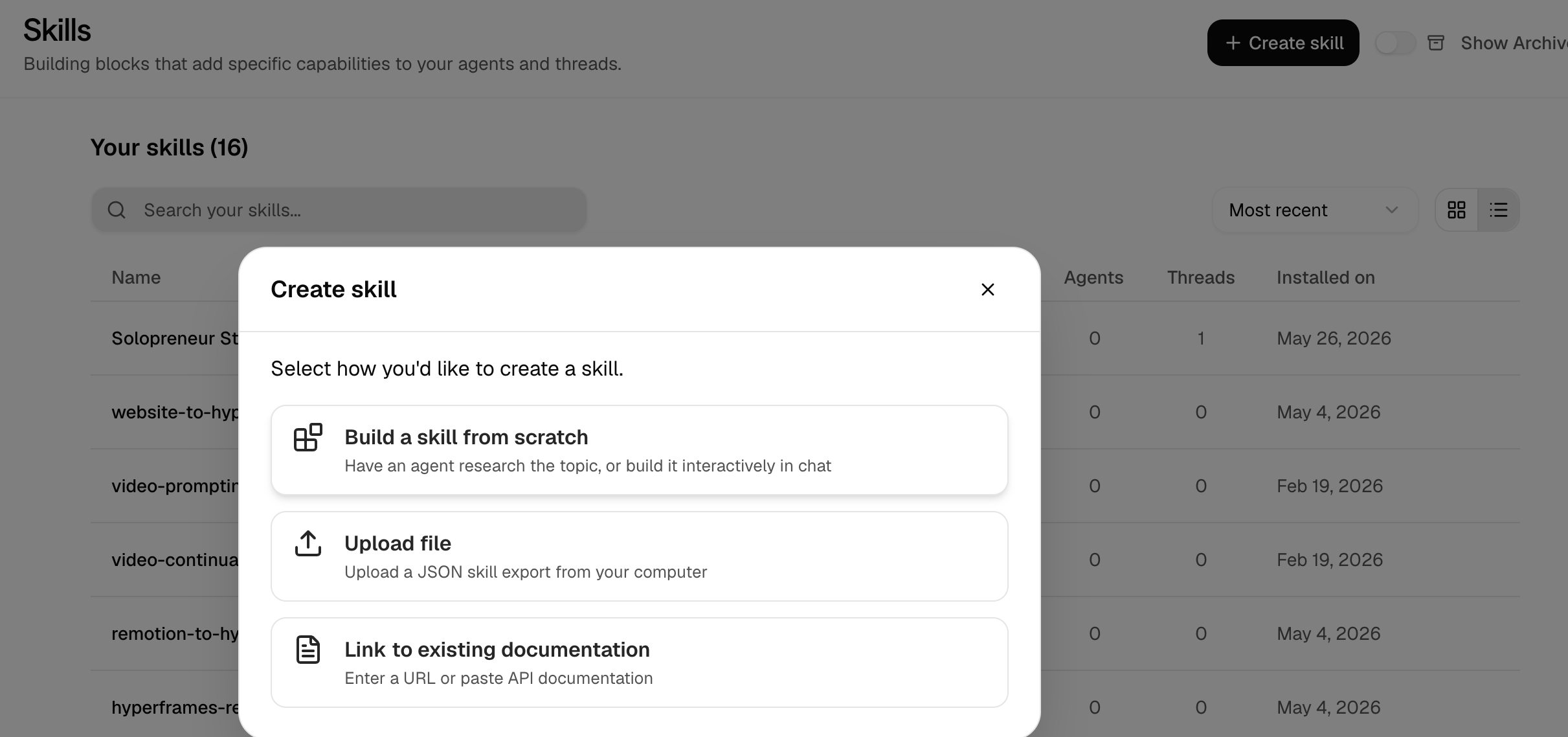
How the Skill will look
Token clarity
OpenClaw can show you your usage. You can wire up your provider dashboards, parse logs, run a few queries, and get there. I have done it. It is a small project on top of the work you actually wanted to do.
Hyperagent shows you usage at the agent level by default. Each agent has a daily cost chart, a breakdown by model, and a per-thread and per-run view.
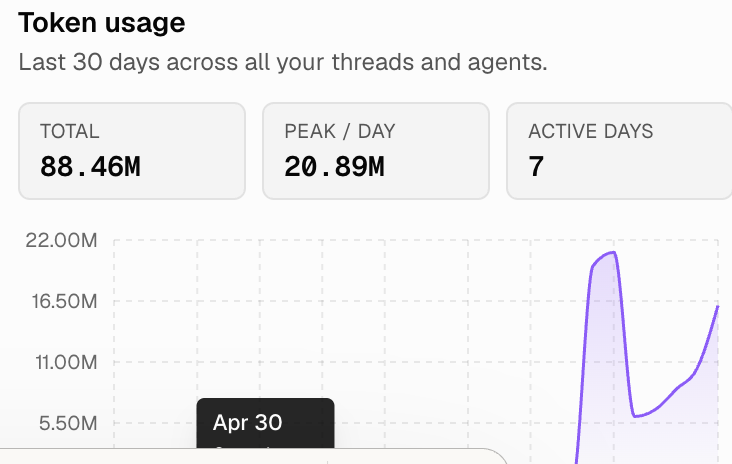
Thirty days of token usage across every agent and thread. The peak day, the active days, the trend line. None of this required setup on my end.
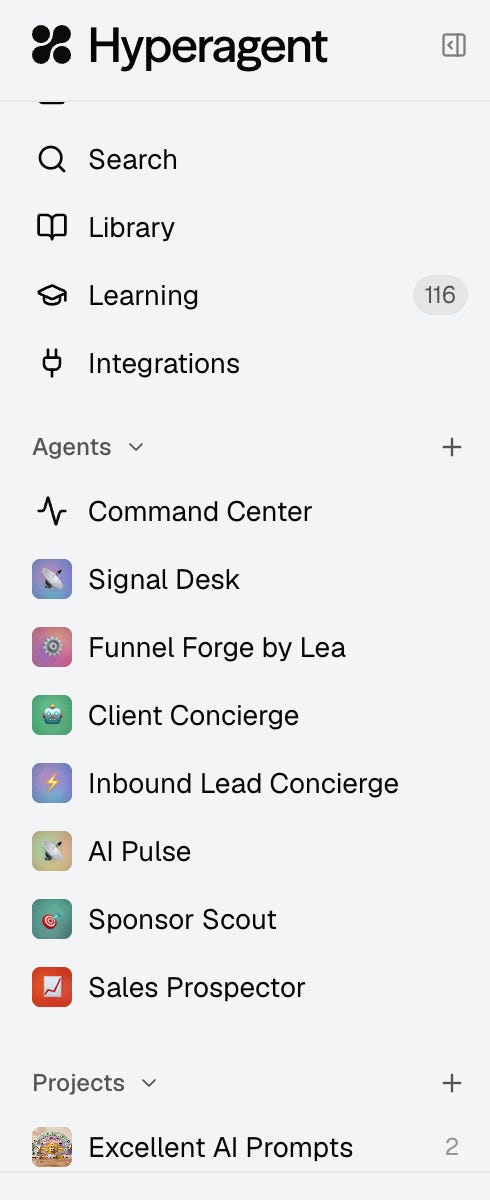
The agents I’ve built so far (a lead concierge, a client concierge, a news desk, a sponsor scout, a sales prospector) all live in the same sidebar, all show their costs, all can be paused or repointed at a different model with one click.
Human in the Loop
I like that Hyperagent keeps the human in the loop at all points. Plan mode is on by default for new threads, so you see what the agent intends to do before it does it. When the agent proposes a new memory or skill it learned from a conversation, you decide whether it joins the knowledge base. Even Live Mode shows you the estimated daily and monthly cost before you enable it.
These are decision points the platform respects you enough to leave in your hands. The judgment about what your business needs, what your voice sounds like, what your clients actually want is yours. Hyperagent makes sure you stay the one making those calls. At least, until you decide you want the agents running autonomously.
What’s next
I’ll keep using it. I’ll write a follow-up after another month, with what broke, what I changed, which agents I deleted, and what I kept.
For now, this is the first platform in this category that I can honestly recommend to a peer and say, “go build something. You’ll have it running by tonight,” and not really worry about whether or not they will be able to grasp the technical parts.
Try Hyperagent
Sign up for a plan using the link below to get $1000 in credits to try Hyperagent now.
Until next time,
Lea
Full transparency: This post was sponsored by Hyperagent. They did not have editorial approval over the content though they did review prior to publication.
If you are building a serious developer tool, or if you need fine-grained control over every layer of your stack, the harnesses still win and you should run them.
If you are running a one-person business and you want agents to act like a small operations team without becoming one yourself, I recommend Hyperagent.
Caveat about integrations
On May 21, 2026, Composio, a service Hyperagent had been using to broker some integrations, disclosed a security incident in which a threat actor accessed certain of its internal systems. Hyperagent’s response is worth reading in full at hyperagent.com/blog/composio-incident-response, but the short version: they disabled all Composio-powered integrations, notified affected customers, verified token revocations, and published a clear, plain-language page on what to check and how. They are now moving widely used integrations like GSuite and GitHub onto native Skills. It is a useful reminder that integrations are a real surface area no matter which platform you choose.